 ScyllaChat
Sync & updates
One story on two devices, kept current without a cloud account. Sync is end-to-end encrypted and relayed only while both devices are online.
Updates
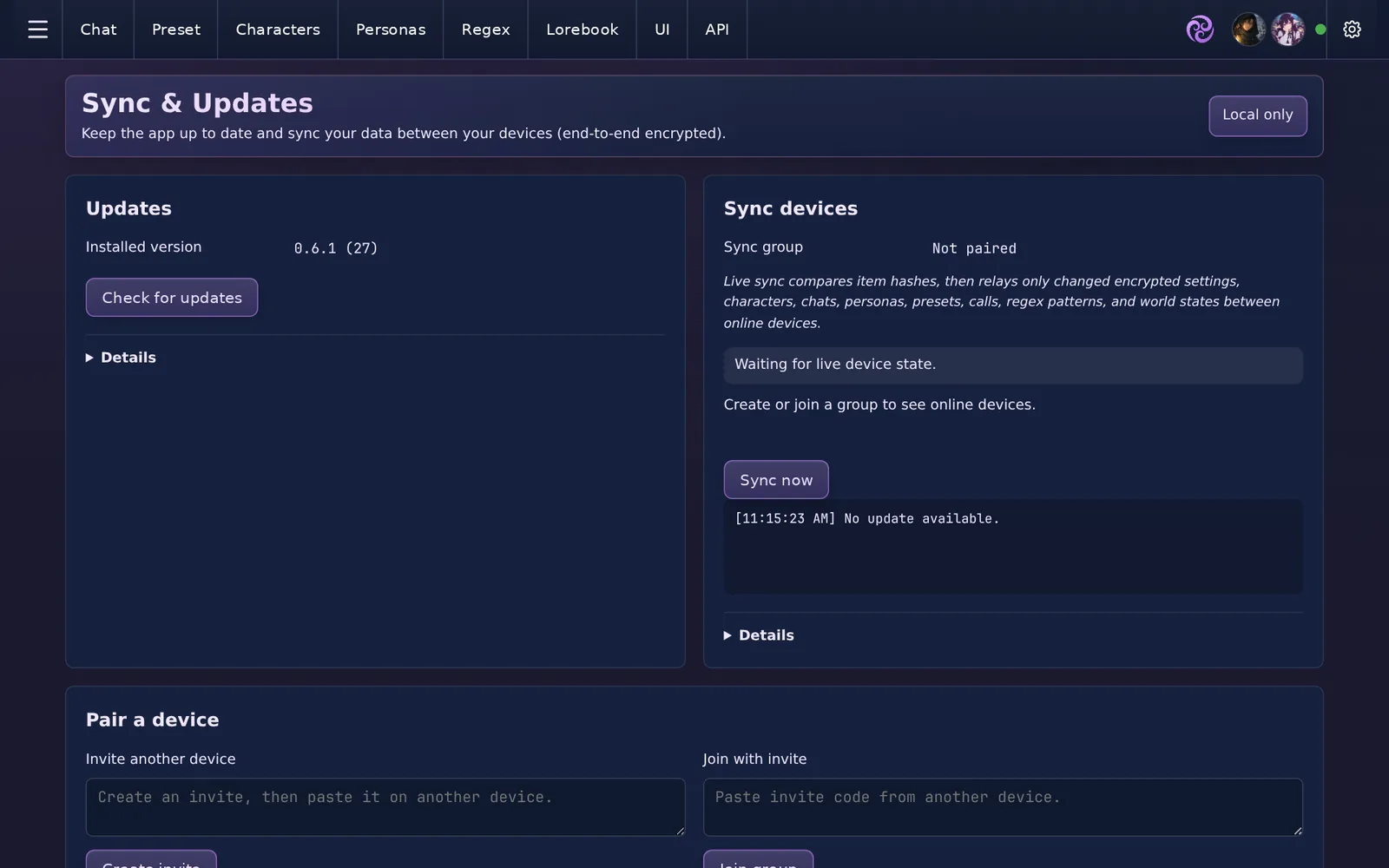
The app checks app.scylla.love on startup and on demand (Check for updates on the Sync & Updates page). Updates install in place: on desktop the web bundle replaces itself, on Android the new APK installs over the old one. Your data folder is never touched by an update.
Pairing devices
- On your first device, open Sync & Updates and press Create invite. The invite code contains the shared sync secret, so treat it like a password.
- On the second device, paste the code under Join with invite and press Join group.
- Both devices now show in the online devices list. Press Sync now, or let live sync handle it.
Sync compares item hashes and relays only what changed: settings, characters, chats, personas, presets, calls, regex patterns and world states. Payloads are encrypted on the sending device and decrypted on the receiving one. The relay server sees ciphertext and never stores your data; it only passes messages between devices that are online at the same time.
What sync is and is not
- It is a mirror between your own devices, phone and desktop for the same story.
- It is not a backup: see Backups & your data.
- It is not sharing: invite codes are for your devices, not other people.